Automated Invoicing
Auto-Generate Invoices From Your Data
Upload transactions. Send invoices.
Upload a transactions file and get formatted, customer-ready invoices in seconds. No more month-end spreadsheet wrangling. No more copy-paste errors.
Why it works
Built for teams that want results.
CSV / Excel in, invoices out
Feed in your raw transaction data. Akyla groups line items by customer, calculates totals, applies taxes, and generates branded invoices.
Batch processing at scale
Process hundreds or thousands of customer invoices in a single run. Parallel generation, automatic retries, full audit log.
Automated email delivery
Invoices are emailed straight to your customers with branded templates. Payment links, reminders, and tracking all handled.
How it works
Three steps to working software.
A month-end process that used to take days now runs in under an hour — fully automated, fully auditable.
Connect your data source
Upload a transactions CSV, connect a Google Sheet, or pull from your billing system. Akyla handles column mapping and validation automatically.
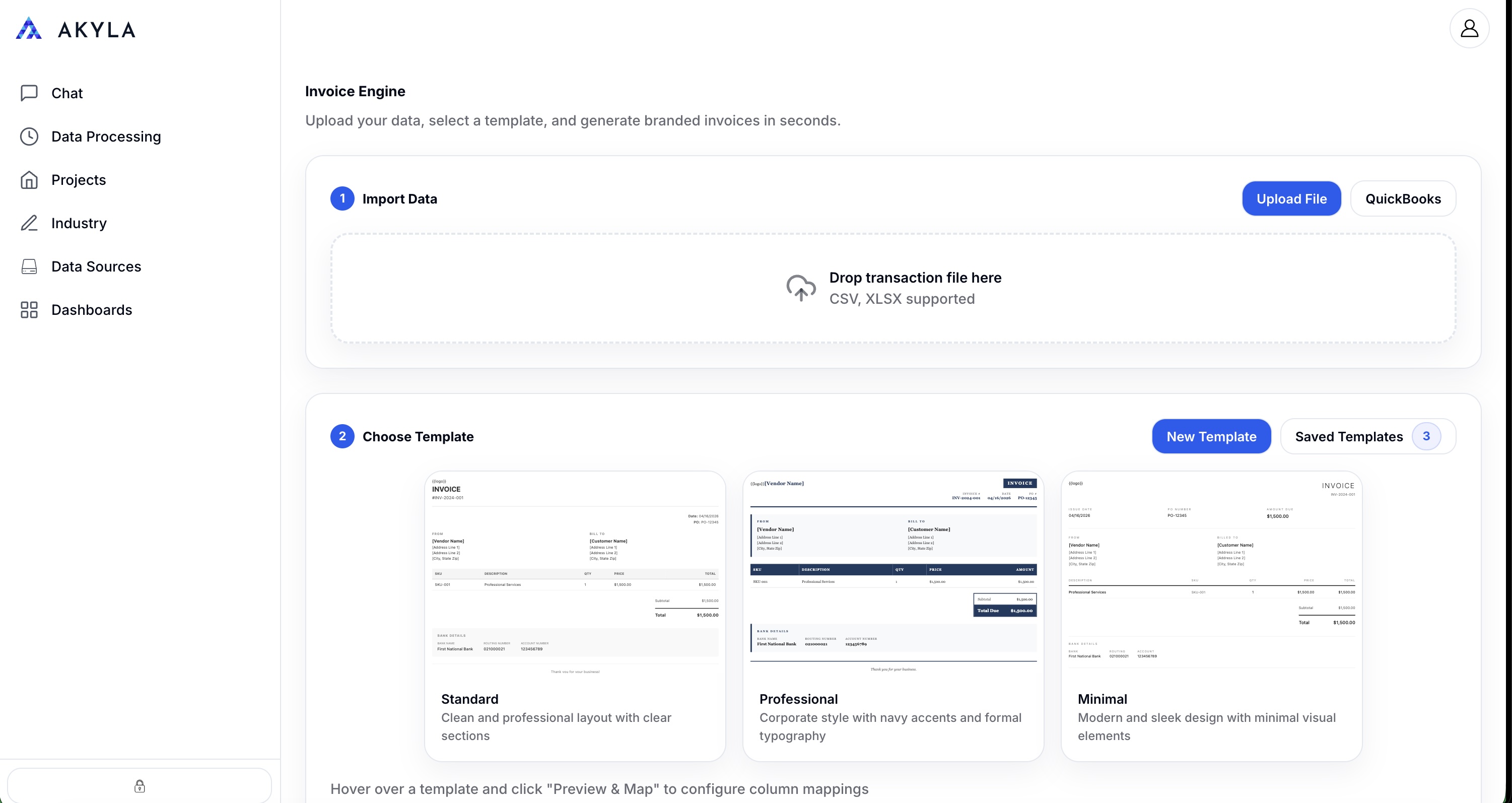
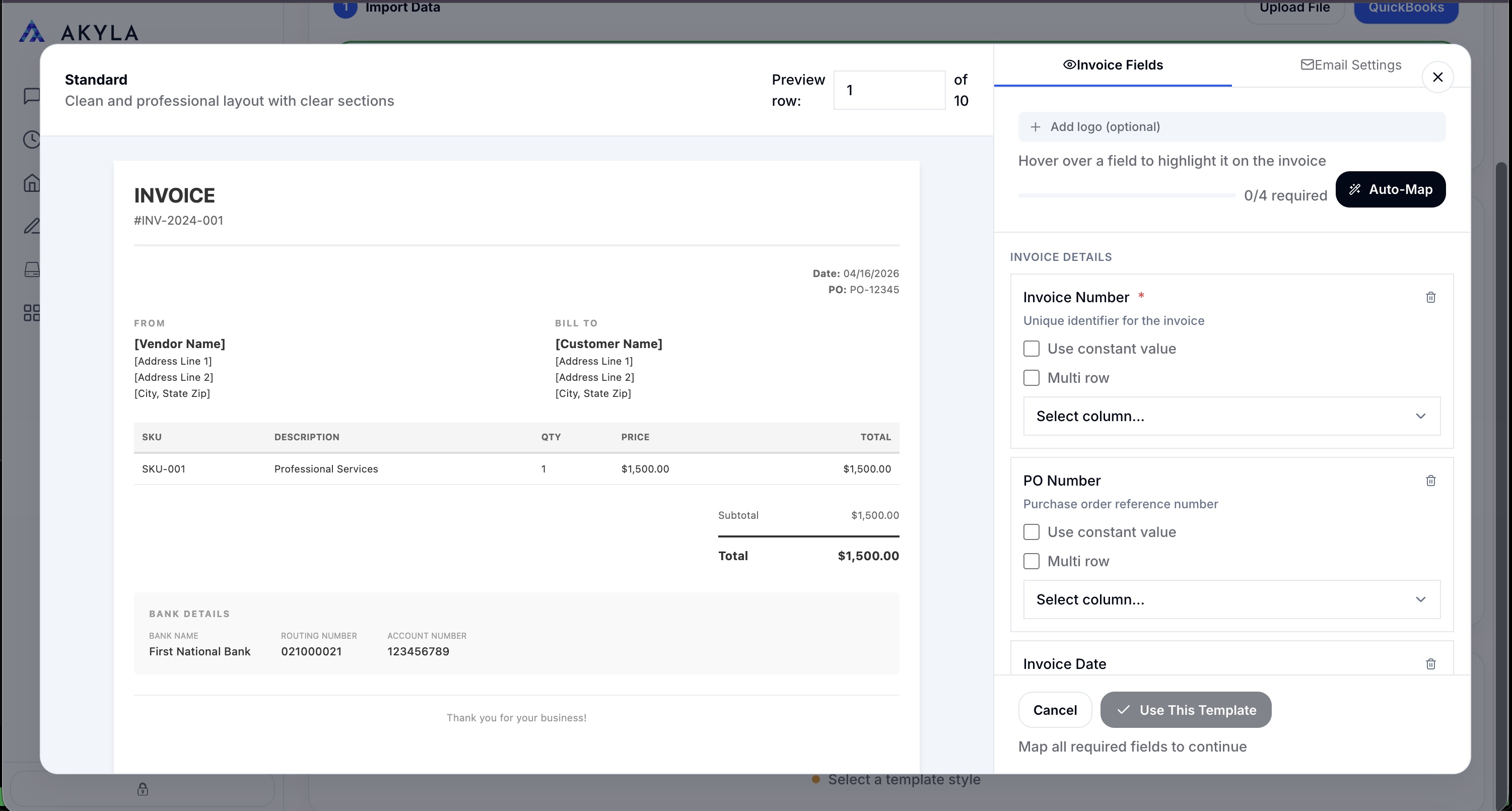
Set up your invoice template
Choose a branded template, configure line-item grouping, set tax rules, and preview generated invoices before sending. Save presets for recurring runs.
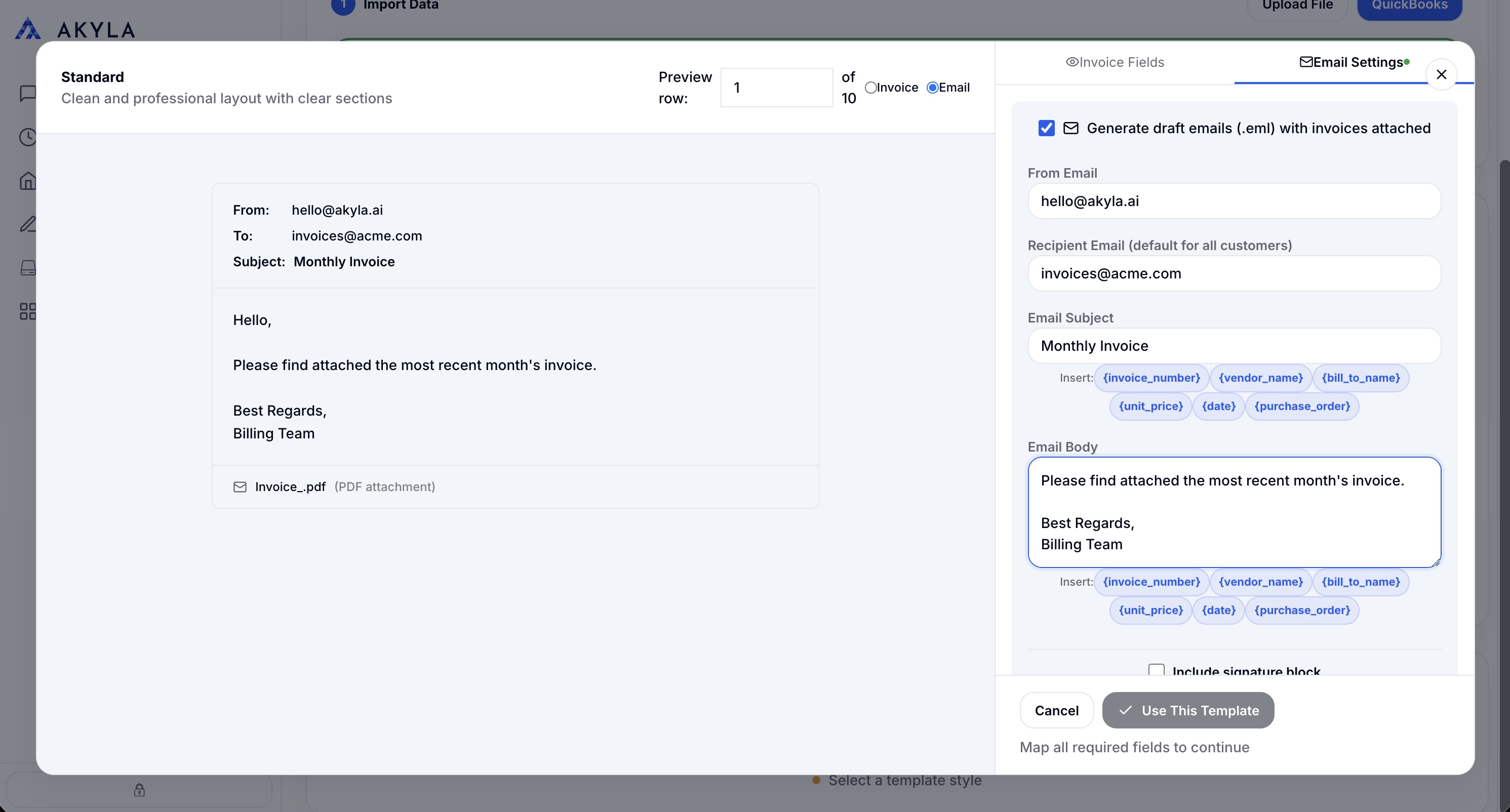
Configure and send emails
Customize email copy, attach the generated invoice, and send in bulk. Every email tracked — opens, clicks, and payment status surfaced in one view.
Next step
Ready to kill your month-end invoicing grind?
Book a 30-minute discovery call. Show us your current invoicing process and we'll show you how Akyla eliminates 90% of the manual work.
Book a 30-Minute Discovery Call→Typical engagements start with a fixed-price discovery sprint.